
- Email: [email protected]
- Call / WhatsApp Us: +91 70650 40985
Related Products
-
Wondershare Allmymusic for Mac
INR 2145.36 -

Wondershare AllMyTube for Mac
INR 2145.36 -

Wondershare DVD Creator
INR 2955.42 -

Wondershare DVD Slideshow Builder Deluxe
INR 5174.75 -

Wondershare TunesGo Win - iOS & Android Perpetual
INR 4419.47 -

Wondershare Dr.Fone iOS Erase For Mac
INR 3473.13 -

Wondershare TunesGo Win - Android Perpetual
INR 2945.08 -

Wondershare TunesGo Mac - iOS Devices Perpetual
INR 3682.27
Other Products
- iFunia Video Editor Monthly Plan
- SUSE (LES) ARM 16 Or More Cores Priority 1 Year
- Stellar Converter EDB Corporate 50 Mailboxes
- Wondershare Filmora 14 Advanced
- Adobe Captivate 1 Year Plan
- SUSE LES ARM 1-15 Cores Unlimited Priority 5 Years
- UniConverter 14 For Windows Annual Plan
- Intego VirusBarrier X9 Renewal 5 Macs & 2 Years
- Intego Antivirus Windows 1 Year & 51 To 100 Users
- SUSE (LES) Manager Power Priority 5 Year
- Sunbird-Holidays.com
- Wise Data Recovery Pro 1 Year For 3 PCs
- Cisdem iPhone Cleaner Mac - Lifetime Plan 5 Macs
- CISCO 2811 ROUTER
- Mobile Number Database for Argentina
- HiringInfluencers.com
- Wondershare Repairit For Win 1 Month License
- Intego ContentBarrier X9 For 1 PC
- Wondershare Recoverit Essential Mac 1 Year Plan
- Wondershare PDFelement V11 Cross 2 Years Plan
- Wondershare Dr.Fone iOS Transfer For Mac
- WPS Office Mac PDF Converter & Editor Quarterly
- Mobile Number Database for Malta
- Wondershare Dr.Fone iOS Repair For Mac
- Acronis True Image Advanced
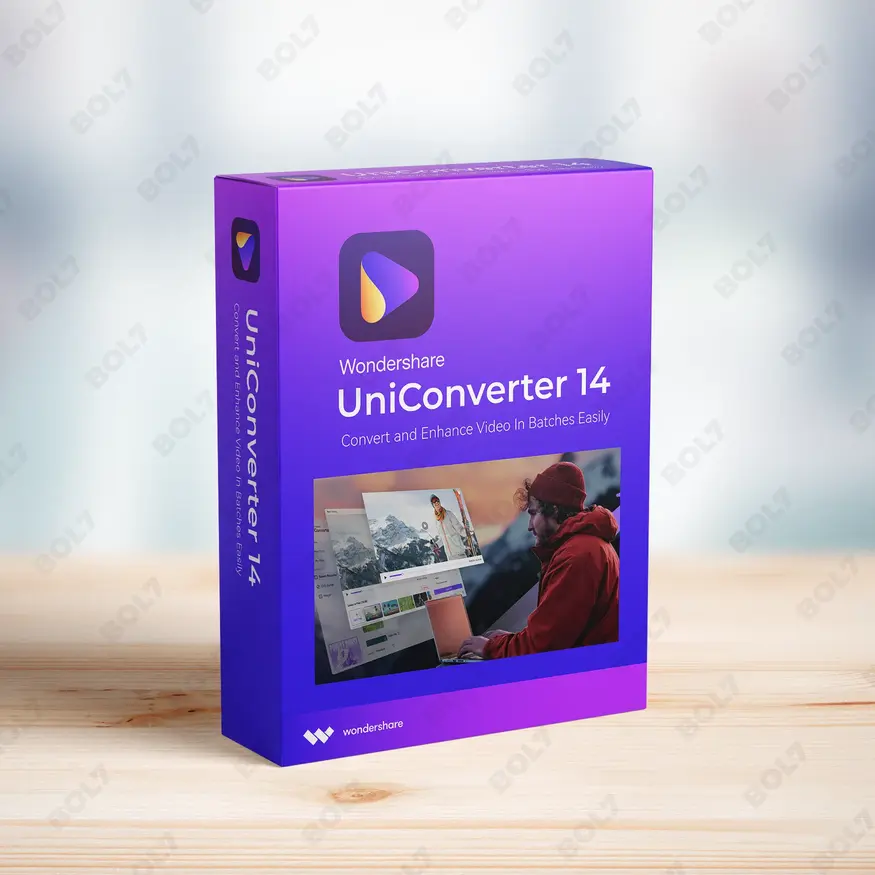
Convert, compress, and enhance videos with Wondershare UniConverter 14 for Windows. Enjoy AI-powered enhancements and high-speed conversion with an annual plan.
Key Features: UniConverter 14 for Windows - Annual Plan
- Video Conversion: Quickly convert videos between 1000+ formats, including MP4, MOV, AVI, and more. Wondershare UniConverter ensures high-quality output with fast conversion speeds.
- Video Compression: Reduce the size of videos without sacrificing quality. This tool helps you compress large video files for easier sharing and storage.
- Batch Processing: Convert or compress multiple videos at once with batch processing. Save time by processing large numbers of files simultaneously.
- AI Video Enhancement: Enhance the quality of videos with AI-powered technology. Improve clarity, reduce noise, and optimize video details for a more polished output.
- AI Image Enhancement: Automatically enhance the quality of images with AI-driven tools. Fix blurry photos, adjust lighting, and apply filters to make your images stand out.
- AI Text to Speech: Convert written text into natural-sounding speech using AI. Choose from various voices and adjust speed and pitch for customized audio output.
- Video Downloader: Download videos from websites such as YouTube, Vimeo, and more. Wondershare UniConverter allows you to grab videos for offline viewing.
- Subtitle Editor: Edit subtitles for your videos, making adjustments to timing, text, and style. Add or remove subtitles with ease for an enhanced viewing experience.
- Media Metadata Fixer: Automatically correct and update metadata for your media files. Wondershare UniConverter helps you organize files with accurate information such as title, artist, and album.
- High-Speed Conversion with GPU Acceleration: Take advantage of GPU acceleration for faster video conversion. Wondershare UniConverter ensures smooth and high-speed performance, even for large files.
- Annual Plan: With the annual plan, you’ll have continuous access to all of Wondershare UniConverter’s premium features. Stay updated with the latest versions and tools throughout the year.
Simple Steps To Get Started
- Purchase the Annual Plan: Visit the bol7 platform to purchase Wondershare UniConverter 14 with the annual plan. After purchasing, you will receive an email with the download link and activation details.
- Download the Installer: Click the download link in your email to get the installer. Locate the installer file on your Windows PC and double-click to begin the installation process.
- Run the Installation: Follow the installation wizard’s instructions to install Wondershare UniConverter. The installation process is simple and quick, taking only a few minutes.
- Activate the Software: Open Wondershare UniConverter 14 and enter the activation key provided in your email. This will activate all premium features available with the annual plan.
- Start Converting and Enhancing: Once activated, you can start using all the features of Wondershare UniConverter. Begin converting, compressing, and enhancing your media files with ease.
Technical Support:
Call / WhatsApp Us:
+91 70650 40985
Email: [email protected]
Sales Support:
Call / WhatsApp Us:
+91 70650 40985
Email: [email protected]
More Products
RealInfluencerMarketing.com is a premium domain tailored for businesses in the influencer marketing industry. Perfect for creating …

Hire-Influencer.com is a premium domain tailored for businesses focused on influencer marketing and collaborations. Perfect for …
Stellar Photo Recovery Standard for Windows is a reliable tool for recovering deleted or lost photos, …
CISDEM Video Converter for 5 PCs with a business license provides high-quality video conversion and editing …

Malwarebytes Complete Protection ensures comprehensive security with features like identity insurance, social media monitoring, malware defense, …
Wondershare PDFelement V11 for Mac provides all the tools you need to work with PDFs efficiently. …
Cisdem AppCrypt for Mac allows you to lock apps, block websites, and improve privacy on your …
Camtasia Pro offers advanced video editing features, including AI-generated scripts, titles, and chapters, plus video review …

Useful Links
Get In Touch
[email protected]
+91 70650 40985
- live:hemant_136
A-27J, Noida Sec 16, Gautam Buddha Nagar, Uttar Pradesh 201301
Stay connected & Informed
Join our WhatsApp Channel
ⓒ 2024 BOL7 All Rights Reserved
Don't Miss Out...
Take up to 2% off your first order!
Use the discount code below and save 2% on this order now.
Coupon Code Copied!